Mileage | Deductions: Mileage Tracker

Your drives, on record

Business miles are easy to forget and hard to rebuild at tax time. Mileage Tracker keeps a clear log: add trips by hand, record them live, or review drafts that auto-detect suggests. Nothing counts as a trip until you decide.

Coming sooniPhone, in the United States. Coming soon to the App Store.
The Trips tab in Mileage Tracker listing recent trips with a monthly mileage and deduction estimate
3ways to log: by hand, live, or auto-detect
0accounts to create
2report formats: PDF and CSV

Inside the app

Every screen, whole and sharp
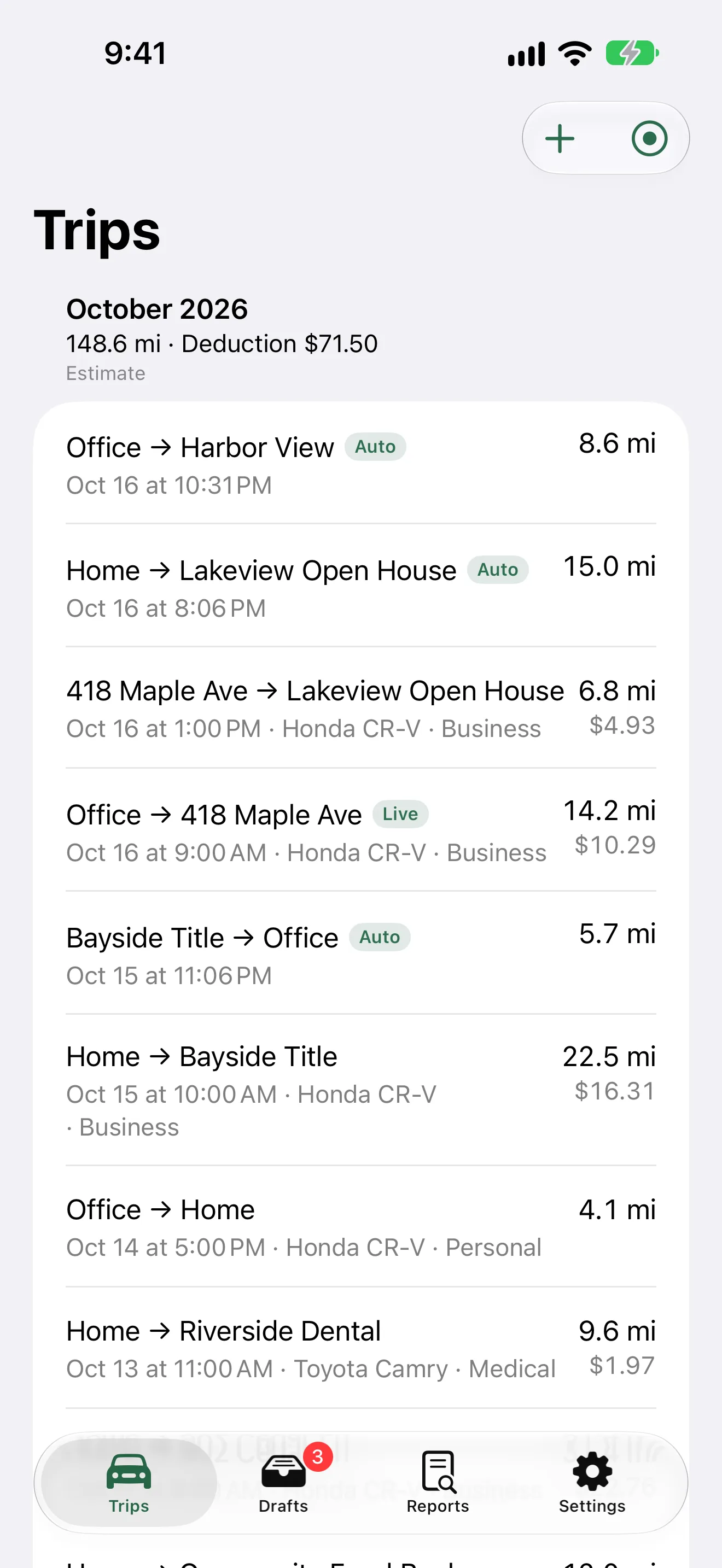
The Trips tab listing trips with distance, vehicle and category
Your tripsEvery trip in one list, with the month's miles and an estimated deduction.
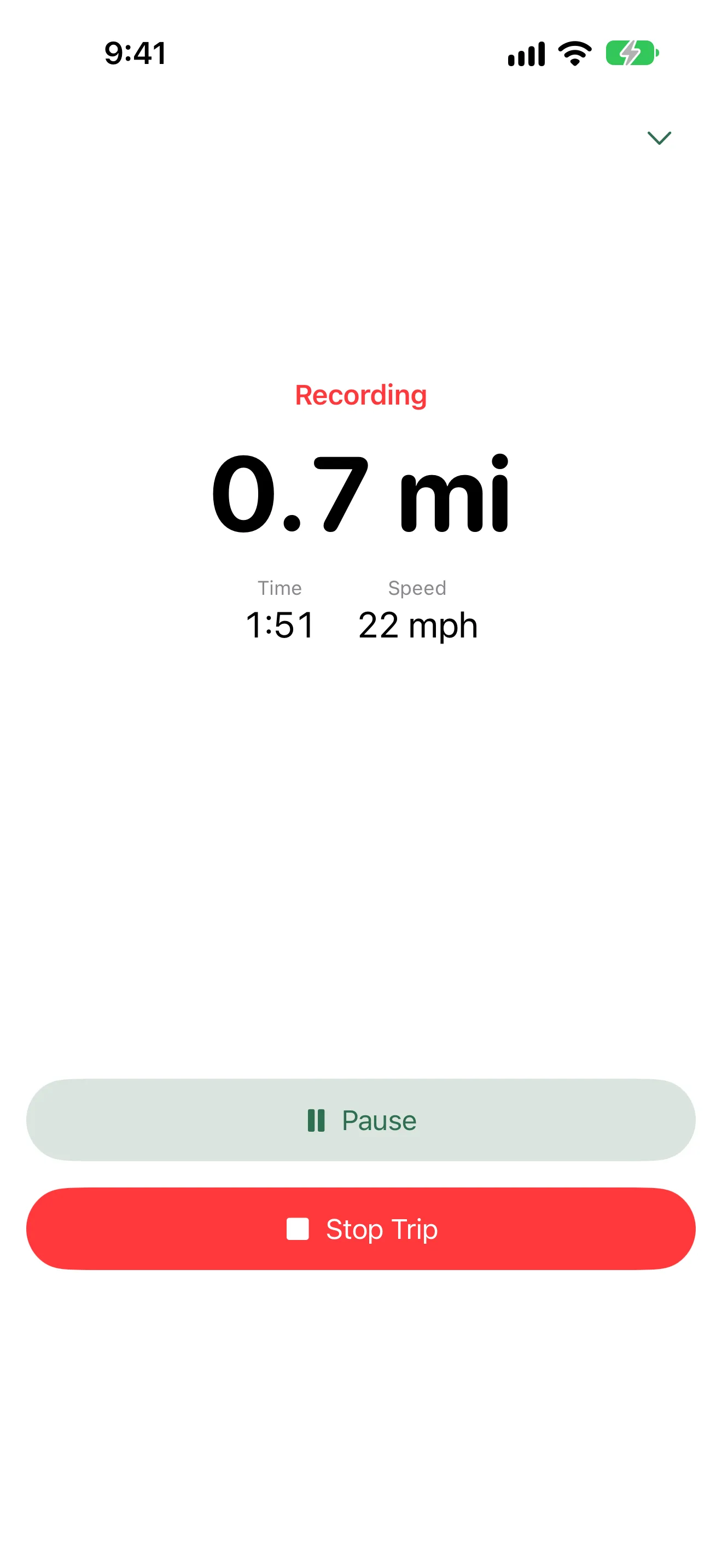
A live trip recording screen showing distance, time and speed with Pause and Stop Trip buttons
Live tripsRecord a drive as it happens, with Pause and Stop within reach.
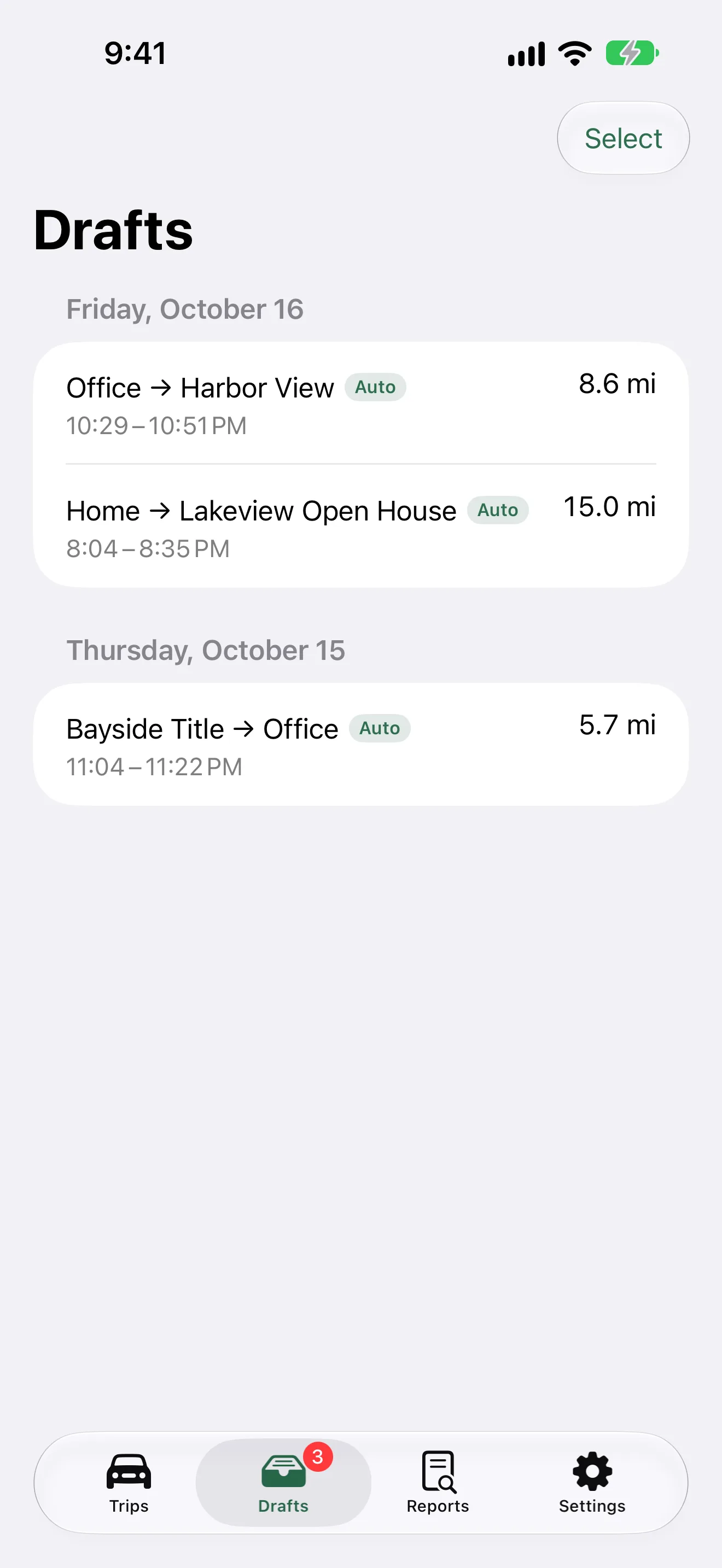
The Drafts tab listing automatically detected trips waiting for review
Drafts you reviewWith Auto-Detect on, suggested trips wait in Drafts until you classify or discard them.
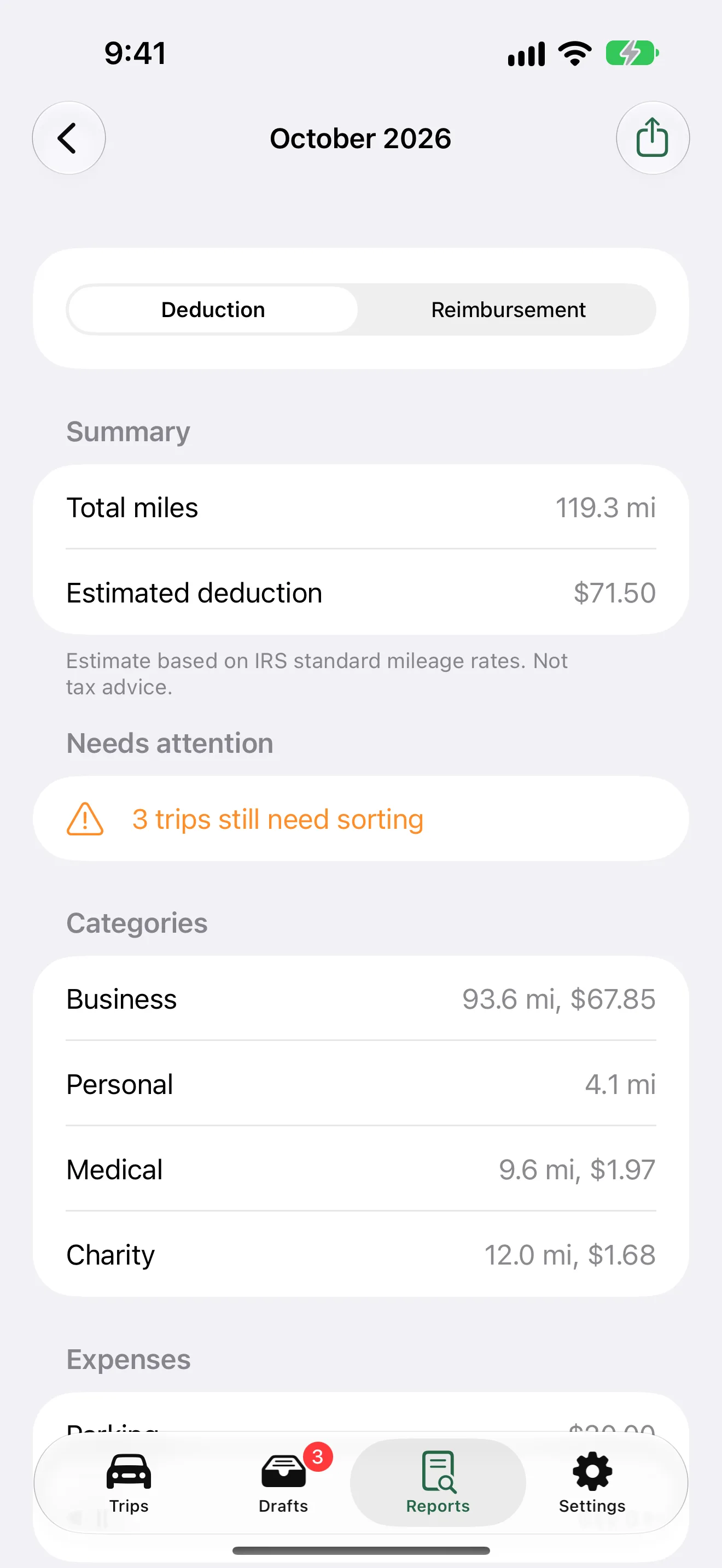
A monthly report with total miles, estimated deduction and a breakdown by category
Reports you can sharePick a month or a year, preview the summary, and export a PDF or CSV. Estimates only, not tax advice.
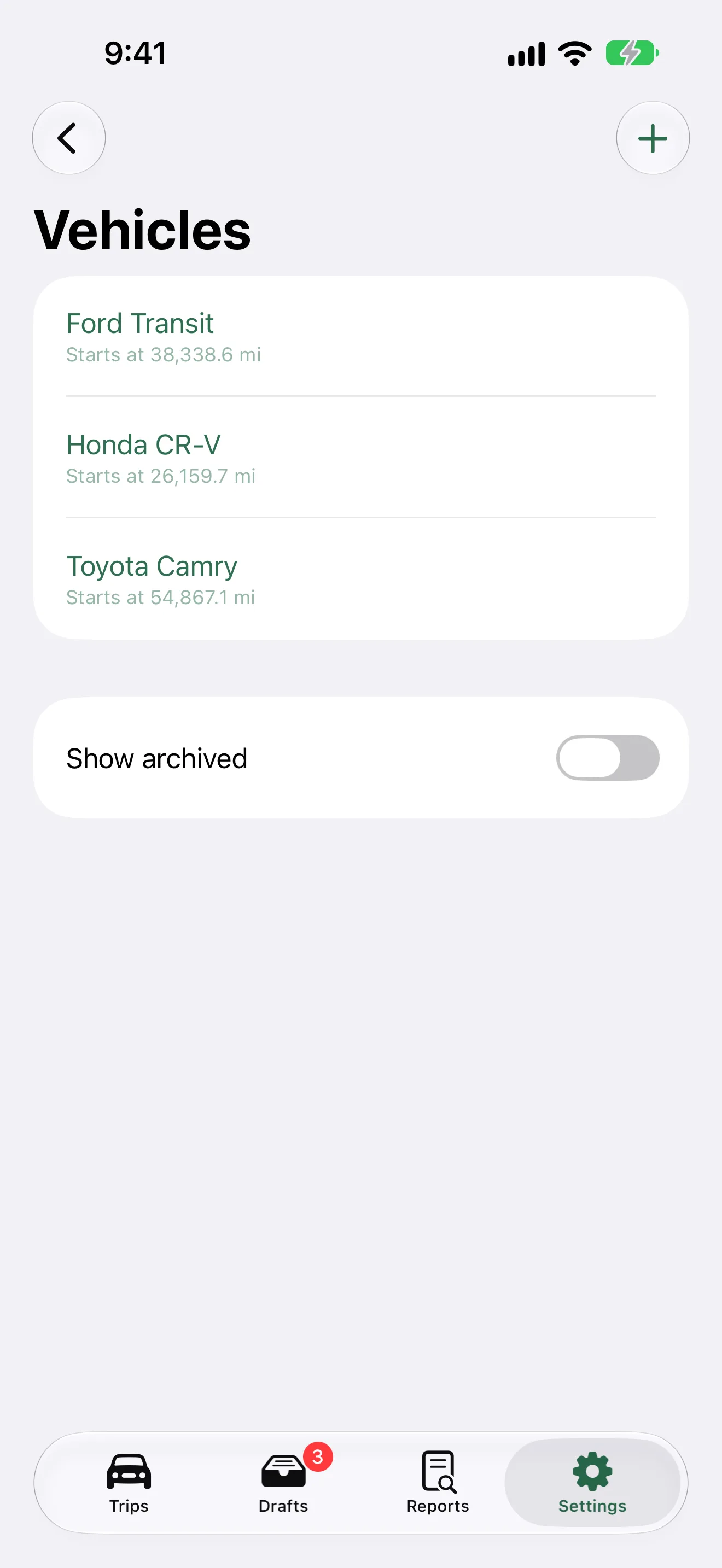
The Vehicles list showing three vehicles with their starting odometer readings
More than one vehicleKeep each vehicle with its own starting odometer.

How it works

Three steps

  1. Log a drive your way

    Add a trip by hand, record one live with a tap, or turn on Auto-Detect Trips.

  2. Review and classify

    Each draft waits for you. Classify it as business, medical, charity or personal, or discard it.

  3. Export when you need it

    Share a PDF or CSV for a month or a year. Each trip shows an estimate from the IRS standard mileage rate on its date.

Keep your mileage on record

Coming soon

Published by You 2.0, LLC.